01
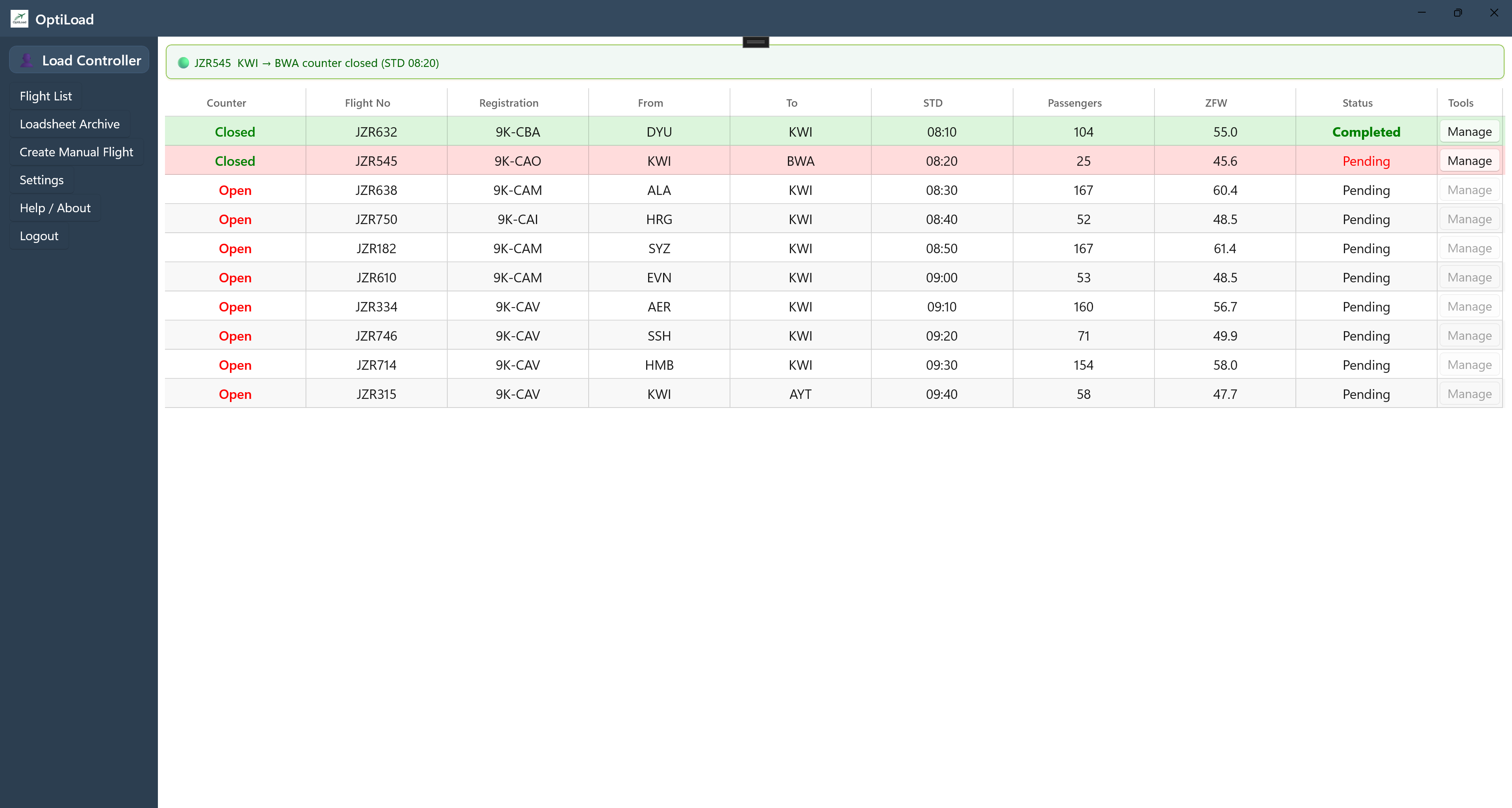
Flight dashboard
Review load status, center-of-gravity checks, and operational readiness from a single flight overview.


A focused digital workspace for flight preparation, load distribution, compliance, and certified operational output.
One operational workspace
OptiLoad brings the core load control workflow into one consistent interface, reducing handoffs between paper, spreadsheets, and disconnected tools.
Product workflow
Select any screen to view it in more detail.
Review load status, center-of-gravity checks, and operational readiness from a single flight overview.
Work with an interactive seat map and live summary of passenger weights and corresponding center-of-gravity values.
Distribute cargo across compartments while hold weights, aircraft totals, and center-of-gravity values update together.
Keep dangerous goods handling and NOTOC preparation visible inside the operational workflow.
Access generated loadsheets with the status, timestamps, and certification details needed for traceability.
Operational continuity
OptiLoad is designed for offline-capable operation, with synchronization when connectivity is available.
Open OptiLoadSee it in context